Dropcontact: The Smarter Way to Find, Verify & Enrich B2B Contact Data
Your CRM might contain thousands of leads—but how many of them can your sales team actually reach?
A missing email address, outdated job title, duplicate contact, incorrect name, or old company record may look like a small data problem. But when those errors are repeated across hundreds or thousands of contacts, they can quietly turn into a major sales and productivity problem.
This is where Dropcontact comes in.
Instead of treating contact data as something you collect once and forget about, Dropcontact is designed to help businesses find professional email addresses, verify and enrich B2B contacts, clean duplicate records, update contact information, and connect enriched data with CRM and automation workflows.
In this guide, we’ll look at what Dropcontact does, how its B2B email finder works, how contact enrichment can improve prospecting, what makes its approach different, and who can benefit most from using it.

What Is Dropcontact?
Dropcontact is a B2B contact data enrichment and email finding platform designed for sales, marketing, recruiting, and revenue teams.
Its core purpose is simple: take incomplete, outdated, or messy professional contact information and turn it into cleaner and more useful B2B data.
You can use Dropcontact to find professional email addresses, verify existing business emails, enrich contact records with additional information, detect duplicate contacts, identify company changes, and improve the quality of data inside your CRM.
The platform can work with contact files as well as CRM-based workflows, making it useful for both smaller prospecting operations and teams managing larger databases.
Why B2B Contact Data Is More Important Than It Looks
Imagine spending hours building a prospect list only to discover that:
- 20% of the contacts are missing professional email addresses.
- Some emails are no longer valid.
- Several prospects have changed companies.
- The same person appears multiple times in your CRM.
- Job titles are outdated.
- First and last names are incorrectly formatted.
- Company information is incomplete.
Your sales team may still have a large database, but the usable value of that database is much smaller.
Good prospecting isn’t simply about having more contacts. It’s about having the right information about the right contacts at the right time.
That is the problem Dropcontact is built to solve.
How Does Dropcontact Work?
Dropcontact can be used in several ways depending on your workflow.
1. Upload Your Contact File
If you already have a spreadsheet or prospect list, you don’t necessarily need to rebuild everything from scratch.
Dropcontact can process contact files and enrich information using details such as first name, last name, company name, or company website.
This makes it useful when you already have a large list but need to improve the quality of the information before starting an outreach campaign.
2. Find Professional Email Addresses
One of the main reasons businesses use Dropcontact is to find professional B2B email addresses.
The platform can use information such as a person’s first name, last name, and company website to identify a professional email address.
This is particularly useful for sales prospecting because you can start with basic information about a prospect and turn it into a more complete contact record.
3. Verify Email Addresses
Finding an email address is only half the job.
If you send campaigns to invalid or incorrect addresses, you can waste credits, reduce campaign efficiency, and potentially create deliverability problems.
Dropcontact therefore also checks and verifies B2B email addresses as part of its enrichment process.
4. Enrich Contact Records
A useful prospect record should contain more than an email address.
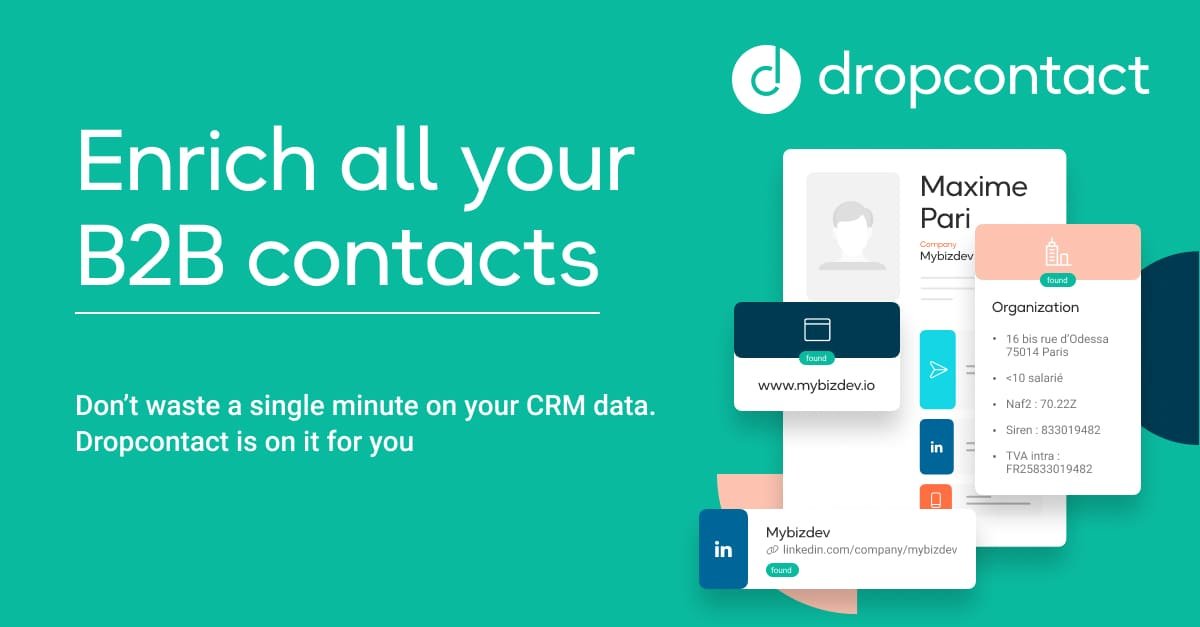
Dropcontact can enrich professional contact data with information such as:
- Professional email addresses
- Phone numbers
- Job titles
- LinkedIn profiles
- Company websites
- Company information
- Industry information
- Contact name corrections
- Company-change information
This gives sales and marketing teams more context when deciding who to contact and how to personalize their outreach.
Dropcontact Features That Matter for Sales Teams
B2B Email Finder
Dropcontact’s email finder is designed specifically around professional B2B contact data. You can provide basic information about a prospect and use the platform to find and validate a professional email address.
This can be especially useful for outbound sales teams, lead generation agencies, recruiters, and marketers who need reliable contact information before launching campaigns.
Email Verification
An email database loses value quickly when it contains invalid addresses.
Dropcontact checks business email addresses and identifies incorrect or unusable information so that teams can work with cleaner prospect lists.
Contact Enrichment
Instead of manually searching for missing information across different websites and databases, Dropcontact can enrich existing contact records automatically.
This can help sales teams spend less time preparing prospect lists and more time actually engaging with prospects.
Duplicate Detection & Merging
Duplicate records are one of the most overlooked CRM problems.
If the same prospect exists multiple times, your sales team may accidentally contact the same person repeatedly or split important information across several records.
Dropcontact can identify duplicate contacts and merge records to help keep CRM data organized.
Company Change Detection
People change jobs.
And when a prospect moves to another company, the old email address and company information may quickly become outdated.
Dropcontact’s company-change detection is designed to identify these changes and enrich the contact with updated professional information.
For sales teams, this can turn an outdated contact into a potential new opportunity.
Name & Data Cleaning
Data quality isn’t only about email addresses.
Incorrect capitalization, swapped first and last names, unnecessary characters, inconsistent formatting, and incomplete fields can all make a CRM harder to use.
Dropcontact helps standardize and clean this information so contact records are easier to manage and personalize.
Dropcontact for CRM Enrichment
One of the biggest advantages of a contact enrichment platform is being able to use it where your sales data already lives.
Dropcontact supports CRM-based enrichment workflows and integrates with platforms such as HubSpot and Pipedrive.
Instead of manually exporting contacts, researching missing information, updating records, and uploading everything again, businesses can automate much of the data enrichment process.
This can make a major difference for teams that regularly add new leads to their CRM.
Dropcontact for Cold Email Prospecting
Cold email campaigns often fail before the first email is even written.
The problem may be the data.
If your prospect list contains invalid addresses, outdated job information, duplicate contacts, or incomplete company information, personalization and targeting become much harder.
A cleaner workflow looks more like this:
- Build a list of potential prospects.
- Identify the companies and decision-makers you want to target.
- Use Dropcontact to find or enrich professional contact information.
- Verify the available email addresses.
- Clean and organize the data.
- Segment prospects based on relevant information.
- Launch a personalized outreach campaign.
The goal isn’t simply to send more emails. It’s to make sure your sales team is working with better data before sending them.
Want to Clean Up Your Prospecting Data?
If you’re tired of manually searching for professional emails and updating contact records, Dropcontact can automate much of the process.
Explore DropcontactDropcontact vs. Traditional Lead Research
Without an enrichment platform, building a prospect list can involve a surprisingly large amount of manual work.
A typical process might involve finding a prospect on LinkedIn, opening the company website, searching for the person’s email, checking whether the email is valid, copying the information into a spreadsheet, and eventually importing everything into a CRM.
Repeat that process hundreds of times and you can quickly lose hours.
Dropcontact takes a more automated approach by combining email finding, verification, enrichment, cleaning, and duplicate management into one workflow.
That means the biggest benefit may not simply be the data itself—it can be the time saved preparing that data.
What Makes Dropcontact Different?
It Focuses on B2B Data
Dropcontact is built around professional contact and company information rather than being a general-purpose consumer contact database.
No Traditional Personal Contact Database
Dropcontact says it does not rely on a traditional database of personal information to enrich contacts. Instead, it uses proprietary algorithms and test servers to find and validate B2B information.
GDPR-Focused Approach
Data privacy matters more than ever for businesses running outbound campaigns.
Dropcontact positions GDPR compliance as a core part of its product design and states that it does not store or resell personal information used for enrichment.
Businesses should still make sure their own prospecting and outreach practices comply with the laws applicable to their market.
More Than an Email Finder
If you only need to find an occasional email address, a basic email finder may be enough.
But if your problem includes outdated CRM records, duplicate contacts, missing job titles, company changes, and incomplete prospect data, a broader enrichment platform can be much more useful.
Who Should Use Dropcontact?
Dropcontact can be particularly useful for:
- Sales teams building outbound prospect lists.
- Lead generation agencies managing prospect data for clients.
- Marketing teams that need cleaner B2B databases.
- Recruiters researching professional contacts.
- Founders and startups doing their own outbound sales.
- CRM administrators responsible for data quality.
- RevOps teams automating data workflows.
- Freelancers and consultants running targeted outreach campaigns.
How to Get Better Results From Dropcontact
Start With Accurate Input Data
The quality of your input can influence the quality of your enrichment results. Whenever possible, provide accurate first names, last names, and company information.
Use the Company Website When Available
Company websites can provide an important signal when identifying professional contact information. If you have the website, include it in your workflow whenever possible.
Clean Your CRM Regularly
Don’t wait until your database becomes a mess. Regular enrichment and cleaning can help prevent outdated information from accumulating.
Combine Enrichment With Personalization
Better data should lead to better outreach—not simply more outreach.
Use job titles, company information, industry, and other relevant data to create messages that are actually useful to your prospects.
Is Dropcontact Worth Using for B2B Prospecting?
If your sales process depends on accurate professional contact information, Dropcontact is worth considering as part of your prospecting stack.
Its value comes from combining several tasks that are often handled separately: email finding, email verification, contact enrichment, CRM data cleaning, duplicate detection, and company-change detection.
That combination can be especially useful for businesses that already have a prospect database but struggle with missing or outdated information.
The bigger question isn’t whether you need more leads. It’s whether the leads you already have contain enough accurate information for your sales team to act on them.
Final Thoughts
Bad data can make a good sales strategy look broken.
You can have a great offer, an excellent sales team, and a well-written cold email—but if your prospect data is outdated or incomplete, your campaigns can still struggle.
Dropcontact takes a data-first approach by helping businesses find professional emails, verify contact information, enrich prospect records, clean CRM data, detect duplicates, and identify company changes.
For teams that rely heavily on B2B prospecting, the real benefit is simple: less time fixing contact data and more time using it.
Ready to Improve Your B2B Contact Data?
Find professional emails, enrich your contacts, clean your CRM, and build a stronger prospecting workflow with Dropcontact.
Try DropcontactFrequently Asked Questions About Dropcontact
What is Dropcontact used for?
Dropcontact is used for B2B email finding, email verification, contact enrichment, CRM data cleaning, duplicate detection, and professional contact data management.
Can Dropcontact find professional email addresses?
Yes. Dropcontact can find and verify professional B2B email addresses using information such as a prospect’s first name, last name, and company website.
Does Dropcontact verify emails?
Yes. Email verification is one of Dropcontact’s core features and is designed to help businesses identify incorrect or invalid professional email addresses.
Can Dropcontact enrich CRM data?
Yes. Dropcontact can enrich CRM records and currently supports integrations including HubSpot and Pipedrive.
Does Dropcontact detect duplicate contacts?
Yes. Dropcontact can detect duplicate contact records and merge them to help maintain cleaner CRM data.
Can Dropcontact detect when someone changes companies?
Yes. Dropcontact includes company-change detection that can identify when a professional has moved to another company and update relevant contact information.
Is Dropcontact GDPR compliant?
Dropcontact states that its solution is 100% GDPR compliant and uses proprietary algorithms and test servers rather than relying on a traditional personal contact database.
Is Dropcontact only useful for large companies?
No. Freelancers, startups, sales teams, agencies, recruiters, and larger organizations can all use B2B data enrichment depending on their prospecting and CRM requirements.
“`